
Find and fix bad alt text and product descriptions in WooCommerce
Scan your store to find missing or poor image alt text and product descriptions. IMSCRIB generates better versions and lets you apply them directly to WooCommerce.
Free scan. No account required.
- Find missing and poor alt text
- Find weak product descriptions
- Apply AI-generated fixes directly to WooCommerce
How IMSCRIB works
Scan your WooCommerce store
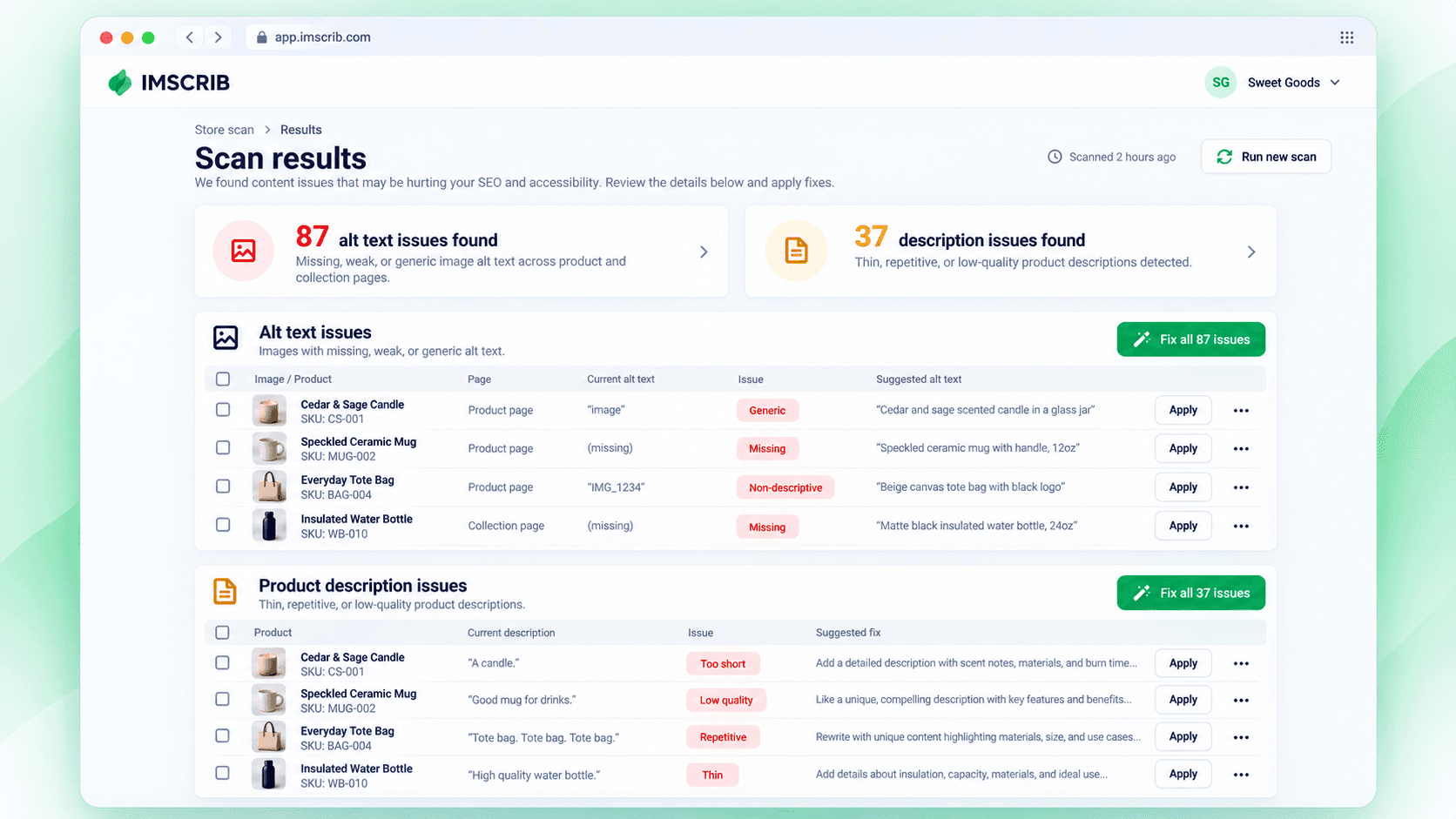
Enter your store URL. IMSCRIB scans your product pages and images and checks both image alt text and product descriptions.
Find exactly what needs fixing
See which images have missing or weak alt text and which products have missing, generic, incomplete, or poor descriptions. Content that is already good stays untouched.
Get better alt text
IMSCRIB uses the image and product context to generate accurate alt text for images that need improvement. Review the suggestion before applying it to your store.
Improve product descriptions
IMSCRIB checks existing product descriptions, identifies weak content, and generates a better description using the product information already available in your store.
Apply fixes directly to WooCommerce
Review the suggestions, then apply one fix, selected fixes, or all approved changes directly to your WooCommerce store. No copying and pasting product by product.
WooCommerce alt text guides
Practical guides for auditing, improving, and managing image alt text across WooCommerce stores.
Find what needs fixing in your WooCommerce store.
Scan your store for alt text and product description issues and get ready-to-apply AI fixes.
Free scan. No account required.